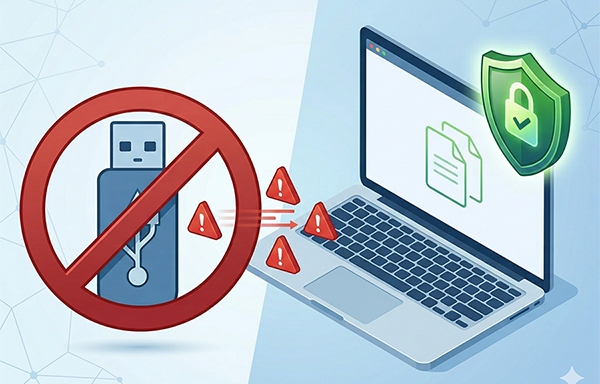
USB devices (especially USB flash drives) are incredibly convenient mobile storage tools, but they are also “high-risk channels” for data leaks and malware intrusions.
Statistics show that over 60% of internal data breach incidents are directly related to USB misuse. Traditional methods like “verbal bans” or setting “read-only permissions” are no longer enough to stop users from bypassing restrictions (such as formatting the drive).
How can you stop USB storage devices at the source? How do you make a USB drive unrecognizable by the computer?
Why Do Businesses Need to Make USB Drives “Invisible”?
Beyond preventing unauthorized file copying, USB drives can carry Autorun viruses (malicious programs that run automatically), exploit shortcut vulnerabilities to steal data, or even be modified into hardware-level eavesdropping devices.
Furthermore, industries like finance, healthcare, and government have strict data protection regulations. Organizations must leave “technical control traces” to prove they have taken “reasonable measures” to prevent internal data leakage.
How to Disable USB Devices?
Today, we’ll show you a rapid solution to manage unauthorized USB storage. We will use a professional computer control tool—”Best Disk Lock”. It forces the computer to “refuse response” at the hardware identification stage, ensuring the system remains completely unaware of the plugged-in device.
Operation Process
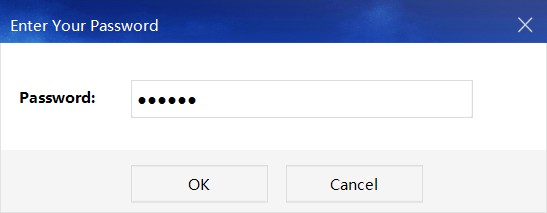
1. Download and install “Best Disk Lock.” Double-click the desktop shortcut and enter the default software password: 888888.
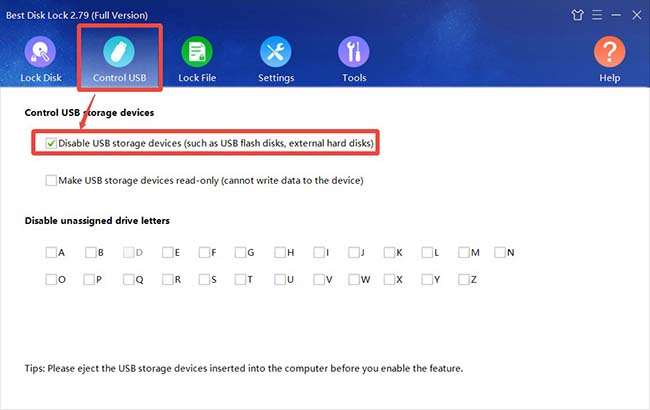
2. Select the [USB Control] feature. Check the box for “Disable USB Storage Devices.”
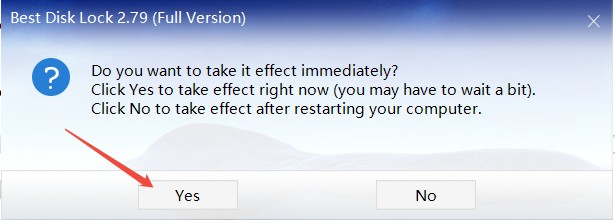
3. Confirm the action. In the pop-up prompt window, select [Yes], and the function will take effect immediately.
Once activated, if anyone attempts to use a USB drive to copy files, the computer will simply “ignore” its existence. No drive letter will appear, and the device will not even show up in the Device Manager. This effectively blocks the possibility of data exfiltration at the operational level.
Note: Do not insert any USB storage devices into the computer before enabling this function.
For enterprises, this is more than just a tool—it is a management philosophy of “using technology to regulate behavior.” For individual users, it acts as an “invisible shield” to protect private files, such as family photos and financial records.