Recently, some users have reported that Disk Manager on their Windows computers cannot be opened, with a prompt stating: “Disk Management cannot start the Virtual Disk Service (VDS) on the computer…” What causes this issue?
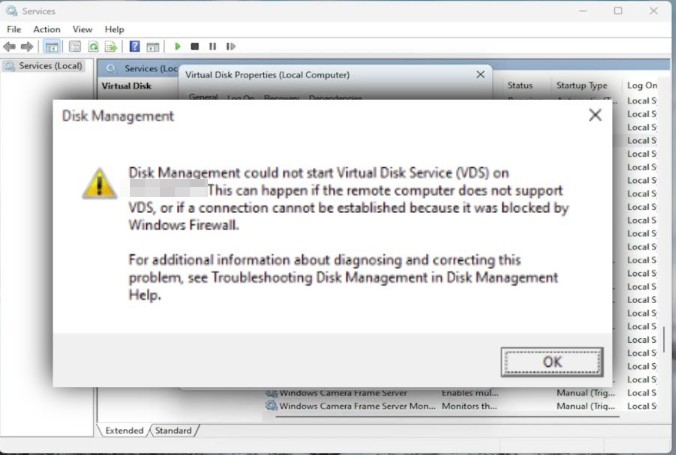
Cause of the Problem
Typically, this occurs because the Virtual Disk service is not running, is misconfigured, or system components are damaged.
Solution
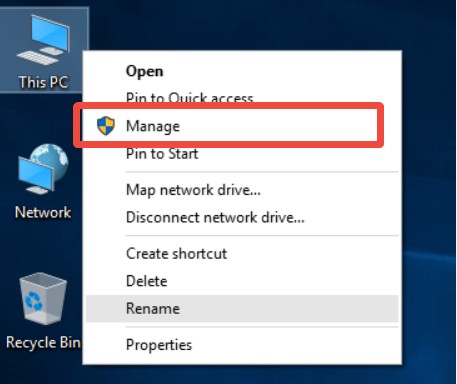
1. Right-click on the This PC/Computer icon and select [Manage].
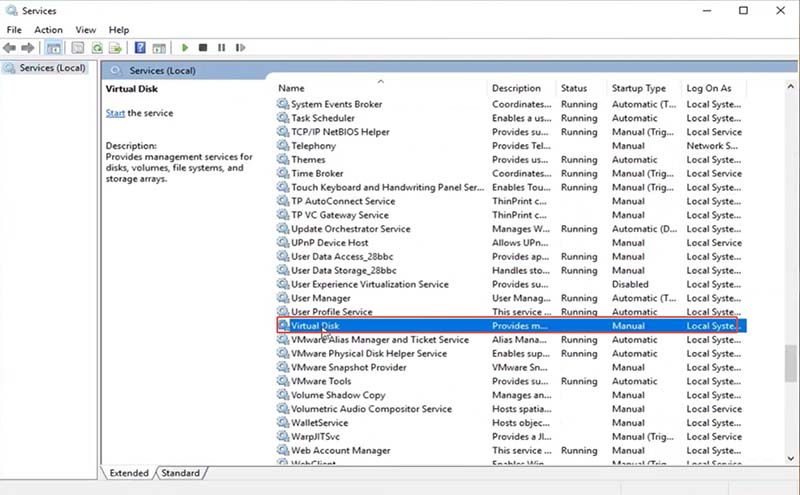
2. Click on [Services], locate [Virtual Disk] in the list, right-click it, and choose [Properties].
3. In the Properties window, change the startup type to [Manual], then click OK to apply the changes.
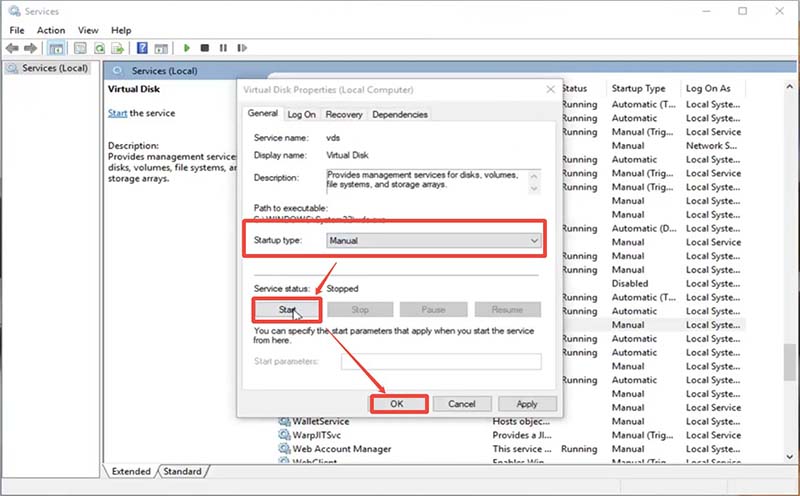
Following the above steps can quickly resolve the issue of Disk Management failing to open. If you’re experiencing the same problem, give it a try!
Special Cases
If the issue persists after following the steps above, consider whether any interfering software (such as UltraISO, virtual machine tools, etc.) is installed on the computer. Uninstall such software promptly, then restore the Virtual Disk service to normal operation.